
Design Your Own Custom Photo Mug in 5 Easy Steps
Table of Contents
- Why Design Your Own Custom Photo Mug
- Step-by-Step: How to Create Your Custom Mug
- Photo Mug Resolution Requirements and Best Practices
- Custom Mug Design Tips for Professional Results
- Personalized Coffee Mug Ideas for Every Occasion
- Material Quality and Durability
- Ceramic vs. Stainless Steel vs. Travel Mugs
- Dishwasher and Microwave Safety
Last Updated: August 27, 2026
Why Design Your Own Custom Photo Mug
Creating a custom photo mug transforms an ordinary drinkware item into a meaningful keepsake. At Midland Mugs, personalized mugs become cherished daily companions, gifts for milestone birthdays, anniversaries, or tokens of appreciation for colleagues. A personalized coffee mug sits on your desk, travels in your bag, and appears in your morning routine. Unlike generic gifts, a custom photo mug carries emotional weight and becomes a conversation starter.
The real advantage lies in control. You choose the photo, layout, text, and colors. This customization means the final product reflects genuine personality rather than compromise.
Step-by-Step: How to Create Your Custom Mug
Designing your own custom photo mug follows a logical sequence from selection through finalization. Understanding each stage helps you avoid common missteps and produce impressive results.
Choose Your Mug Style and Size
Your first decision determines the canvas for everything else. Standard ceramic mugs come in two primary capacities: 11oz and 15oz (the FDA). The 11oz size suits everyday coffee drinkers and fits comfortably in most car cup holders. The 15oz capacity appeals to tea enthusiasts and anyone who prefers larger servings. Ceramic remains the premium choice for photo printing because it holds vibrant colors and resists fading through repeated washing and microwave heating.
Travel mugs present another option. Stainless steel travel mugs offer durability and insulation but present technical challenges for photo printing. The curved, narrow surface compresses images vertically, and the metallic surface doesn't accept ink the same way ceramic does. Reserve travel mugs for simpler designs, solid colors, text-heavy layouts, or graphic logos rather than detailed photographs.
Upload and Position Your Photo
This stage determines whether your final mug looks professional or amateurish. Start by uploading your image through the Midland Mugs design tool. The upload process accepts standard formats: JPG, PNG, and GIF.
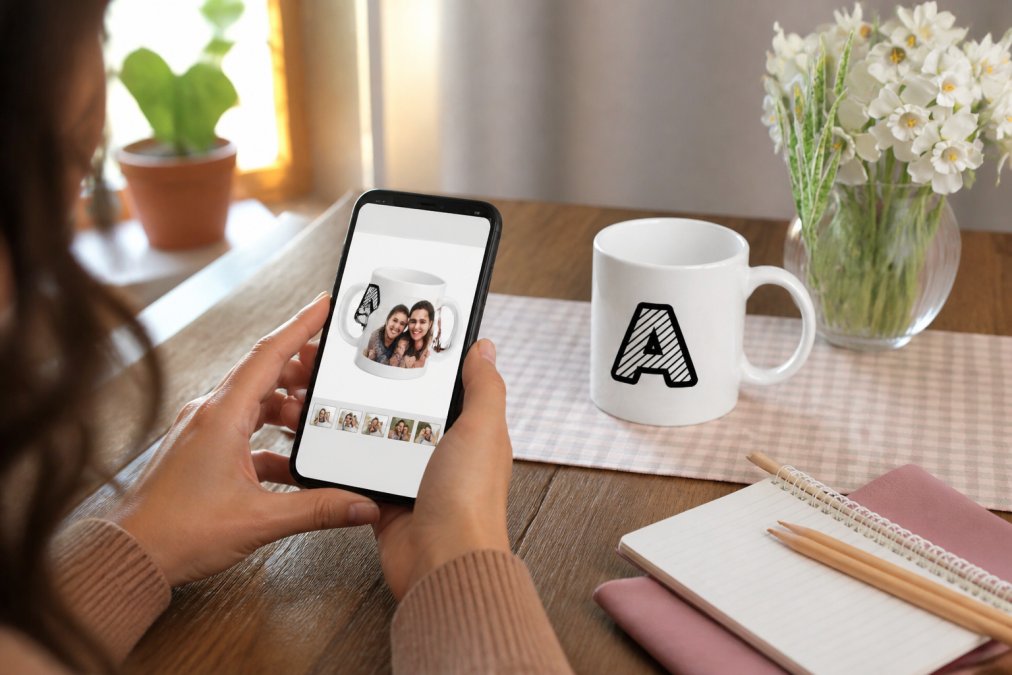
Once uploaded, you'll see your photo positioned on a mug mockup. Adjust the position so the focal point appears on the front of the mug where someone actually sees it when holding the cup. Use zoom to ensure important details remain visible at mug scale. A photo of three people works fine; a photo of thirty people at a distance becomes unrecognizable when shrunk to mug size.
Consider the mug's handle placement. Position your photo so the handle doesn't bisect a face or cut through the main subject. A simple adjustment prevents this common frustration.
Add Text and Personalization
Text transforms a photo mug from pleasant to meaningful. The design tool typically offers text overlay options. You can add names, dates, quotes, or inside jokes. Choose fonts carefully, decorative fonts become illegible on a mug's curved surface. Sans-serif fonts like Arial, Helvetica, or Verdana remain crisp and readable.
Keep text minimal. "Happy Birthday, Sarah" works. Too much text crowds the design and reduces the impact of your photo. Position text horizontally across the mug front so it reads naturally. Color choices matter: black or dark gray text on most photos provides sufficient contrast. White or light text works only if your photo has a dark background area.
Review and Finalize Your Order
Before confirming your order, conduct a thorough review. Zoom into the mockup and examine details. Can you read the text clearly? Does the photo position look intentional? Are there any visual elements you'd adjust? Most design tools allow unlimited revisions before purchase.
Check the mug specifications one final time. Confirm you've selected the correct capacity, style, and any color options. Review the estimated turnaround time. If you need the mug for a specific date, verify the timeline before finalizing. Once satisfied, proceed to checkout and save your order confirmation and tracking number.
Photo Mug Resolution Requirements and Best Practices
Print quality hinges entirely on your starting image. A stunning photo on your phone can become blurry and pixelated on a mug if the resolution doesn't support enlargement to mug scale.
Resolution measures image quality in pixels per inch (PPI). For mug printing, aim for a minimum of 300 PPI (peer-reviewed research). This density ensures that when your image is enlarged to fit the mug's print area, individual pixels remain too small to see with the naked eye. A photo taken with a modern smartphone typically captures at 12 megapixels or higher, which provides sufficient resolution for most mug sizes. However, heavily cropped photos, digitally enlarged photos, or screenshots lose resolution and shouldn't be used.
Colors require equal attention. Photos taken in poor lighting often appear washed out or overly dark. Before uploading, open the photo in a basic editing app and adjust brightness and contrast slightly. The design tool typically shows a live preview, so you can see adjustments in real time before finalizing.
Custom Mug Design Tips for Professional Results
The difference between a decent mug and an exceptional one often comes down to design choices rather than printing quality. Position the main subject off-center rather than dead-center, following the photographic rule of thirds. Off-center composition feels more intentional and visually interesting.
Collage layouts work beautifully on mugs when executed thoughtfully. Rather than cramming four photos into one design, select two or three complementary images and arrange them with breathing room. White space between photos prevents visual chaos.
Color coordination between your photo and any text, background colors, or trim colors creates cohesion. Themed backgrounds enhance personalization, keep them understated so they support rather than compete with your main image. A soft gradient or light pattern works better than bold graphics.
Consider the "mug moment": imagine someone holding the finished mug. What do they see? What message does the design convey? Design with this moment in mind.
Personalized Coffee Mug Ideas for Every Occasion
The versatility of personalized mugs extends across virtually every gifting scenario.
Birthdays call for celebratory designs. A favorite photo of the birthday person, combined with their name and age, creates a keepsake they'll actually use. Consider a collage of photos spanning their life.
Anniversaries deserve romantic treatment. A couple's photo, their wedding date, or a meaningful location becomes the centerpiece. Adding a short quote about love personalizes it further.
Office gifts require professional restraint. A company logo combined with an employee's name and tenure creates branded recognition. Team mugs featuring group photos build camaraderie. Midland Mugs handles no-minimum-order requirements, making office sets practical even for small teams.
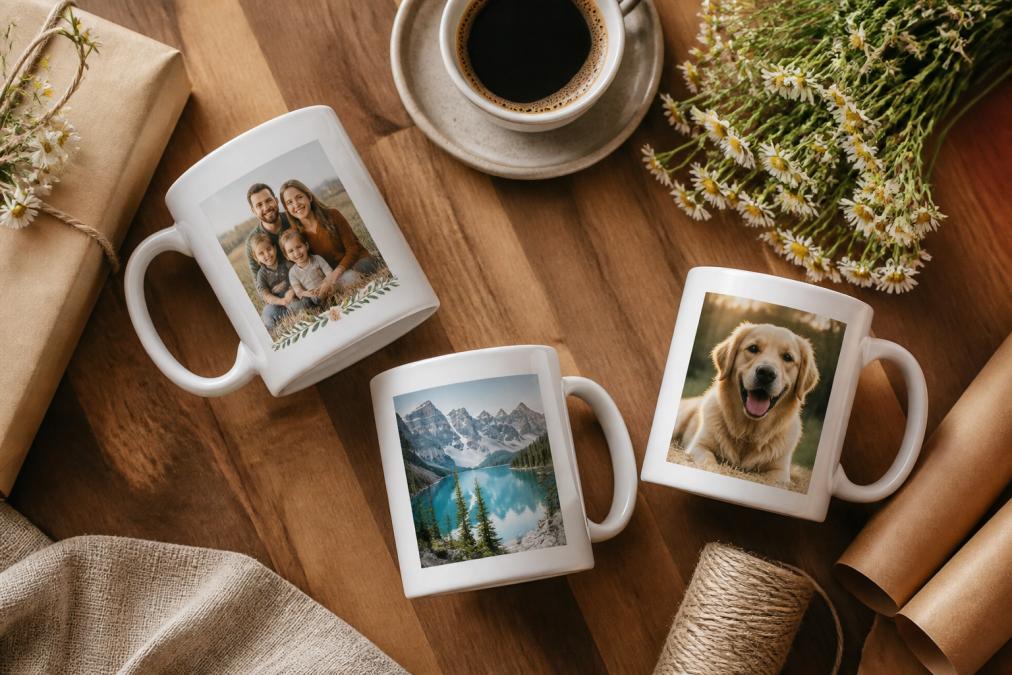
Travel memories translate beautifully to mug designs. A landscape photo from a trip, combined with the destination name and travel date, creates a functional souvenir.
Pet lovers find endless mug possibilities. A close-up photo of a beloved pet becomes daily companionship. Adding the pet's name personalizes it.
Hobby enthusiasts showcase their passions through mugs. A sports fan's mug might feature their favorite team's colors and a memorable game photo. A book lover's mug could display their favorite literary quote alongside a relevant image.
Graduation gifts mark life transitions. A photo of the graduate, their school, and graduation year commemorate achievement. Adding a motivational quote makes it personal.
New parent gifts celebrate growing families. A baby photo, the baby's name, and birth date create a cherished keepsake.
Material Quality and Durability
The physical properties of your mug determine how well it withstands daily use and repeated washing. Premium ceramic remains the industry standard for photo mugs. Ceramic's porous surface accepts ink evenly, creating consistent color saturation. The glazed finish protects prints from direct contact with dishwasher detergents and abrasive scrubbing.
Midland Mugs uses high-quality ceramic specifically selected for durability. The ceramic body resists chipping even with regular use. The glaze remains smooth and protective, preventing ink degradation.
Dye-sublimation printing bonds ink molecules directly into the ceramic's surface rather than sitting on top like a decal. This integration means the print becomes part of the mug. Fading occurs extremely slowly, typically after years of use rather than months.
Handle durability often gets overlooked. A ceramic mug's handle must withstand repeated gripping and the stress of being lifted when full. Midland Mugs ensures handles are properly attached and reinforced, preventing the common failure point of handle separation.
Ceramic vs. Stainless Steel vs. Travel Mugs
Each material category serves different purposes.
Ceramic mugs excel at photo printing and everyday use. The smooth, porous surface accepts ink uniformly, producing vibrant, detailed images. Ceramic retains heat moderately, keeping your coffee warm for 20-30 minutes (nist.gov). The material feels pleasant to hold and looks attractive on desks or shelves. Ceramic's primary limitation is fragility; dropping a ceramic mug typically results in chips or breaks. For home use, office desks, or gifting to people who handle items carefully, ceramic is ideal.
Stainless steel travel mugs prioritize durability and insulation. Double-walled construction keeps beverages hot for hours. However, the curved metal surface presents challenges for photo printing. Metal doesn't accept ink the way ceramic does; prints appear less vibrant and more prone to fading. The curved surface compresses vertical images, distorting photos. Stainless steel mugs work best for simple designs, solid colors, logos, or text-heavy layouts rather than detailed photographs.
Travel mugs with ceramic interiors attempt to bridge these categories. The ceramic interior accepts photo prints like standard mugs, while the insulating exterior keeps beverages at desired temperatures. These hybrids cost more and aren't dishwasher-safe. They suit people who prioritize both photo quality and temperature retention.
For most custom photo mug purposes, ceramic delivers superior results. Reserve stainless steel for designs that don't rely on photographic detail.
Dishwasher and Microwave Safety
Understanding how to care for your custom mug preserves print quality and extends lifespan.
Premium ceramic mugs from Midland Mugs are dishwasher-safe, but handwashing in warm water with mild soap preserves print vibrancy longest. If using a dishwasher, place the mug on the top rack where temperatures are lower, and avoid harsh detergents with bleach.
Standard ceramic mugs are microwave-safe; ceramic doesn't heat up rapidly, and the glaze is stable at microwave temperatures. However, if your mug has metallic trim or decorative elements, avoid microwaving as metal can cause arcing. Check your specific mug's care instructions.
Avoid extreme temperature changes. Don't move a hot mug directly into a freezer or place a cold mug into boiling water. Rapid temperature fluctuations can cause ceramic to crack.
Storing custom mugs properly maintains their appearance. Display them in cabinets or on shelves where they won't be knocked over. If stacking mugs, place a soft cloth between them to prevent chipping.
Designing a custom photo mug transforms how you approach gift-giving and personal expression. The process rewards thoughtfulness at every stage, from photo selection through final care. Whether you're creating a birthday gift, an office appreciation token, or a personal keepsake, the ability to customize every element means the finished mug genuinely reflects your intent.
At Midland Mugs, we've refined this process to make professional-quality personalized mugs accessible to everyone. Our premium ceramic material ensures vibrant, durable prints that withstand daily use. Fast shipping means your custom creation arrives when you need it. Most importantly, our no-minimum-order requirement means you can create exactly what you envision without compromise. Shop now and discover how a custom photo mug becomes the gift people actually use and treasure.
Frequently Asked Questions
Q: What resolution should photos be for custom mugs?
A: For vibrant, crisp prints on your custom photo mug, use high-resolution images of at least 300 DPI (dots per inch). Lower resolution photos may appear pixelated or blurry. Check your file dimensions before uploading to the design tool to ensure your photo mug will print at maximum quality.
Q: How do I know the print won't fade or chip off my custom mug?
A: Midland Mugs uses premium ceramic with durable, vibrant color printing that resists fading through regular washing. Our prints are dishwasher-safe and designed to last. The ceramic material itself is high-quality and long-lasting, making your personalized coffee mug a reliable daily companion for years.
Q: Do you have a minimum order requirement for custom mugs?
A: No minimum order required. Whether you need just one custom photo mug for yourself or five for your team as thank-you gifts, you can order exactly what you need. This flexibility makes Midland Mugs ideal for small personal projects or specific gift quantities without forcing you to buy more than necessary.
Q: Can I handle really specific custom designs, or just basic templates?
A: Our design tool supports fully custom designs beyond basic templates. You can upload your own photos, add custom text in various fonts, choose layout options including collage layouts, adjust trim colors, and create one-of-a-kind mugs that match your exact vision. Whether it's a family photo collage, a specific logo, or a themed background, you have extensive customization options to bring your idea to life.
This article was written using GrandRanker