
How to Design Custom Mugs Online: A 2026 Guide
Table of Contents
- What You Need Before You Design Custom Mugs Online
- Best Software for Mug Design
- Mug Printing File Requirements: Specs That Actually Matter
- Custom Mug Design Ideas to Inspire Your Next Order
- Step-by-Step: How to Design Custom Mugs Online with Midland Mugs
- Printing Techniques and What They Mean for Print Quality
- Bulk Orders, Corporate Gifts, and Turnaround Times
- Conclusion
Last Updated: August 17, 2026
What You Need Before You Design Custom Mugs Online
Designing custom mugs online is straightforward, but the difference between a professional result and a disappointing one comes down to preparation. Getting a few things right before you open any design tool saves you time, money, and frustration.
Here is what to sort out before you start:
- Your artwork or photo files at the correct resolution (more on this in the file requirements section below)
- A clear idea of quantity, whether you need one mug or one hundred affects which options are available to you
- Your intended use, a personal gift, branded office merchandise, and a bulk promotional order each call for different design choices
- Colour preferences, and whether you want a matte or glossy finish
Choosing the Right Mug Style and Capacity
The standard 11oz ceramic mug is the most common option for personalised drinkware: it fits most hands comfortably, holds a full coffee or tea, and provides enough surface area for a decent design. A 15oz mug suits anyone who drinks large coffees or prefers fewer refills. For most gift shoppers and office orders, a classic ceramic mug in the 11oz or 15oz range is the safest starting point.
Matte vs Glossy Ceramic Finish: Which to Pick
A glossy finish produces vivid, high-contrast colours and a smooth surface, working particularly well with full-colour printing. A matte finish gives a softer, more tactile feel and suits minimalist designs, text-based slogans, or premium aesthetics. Glossy surfaces show fingerprints more readily, while matte finishes feel slightly more delicate to clean. Both are dishwasher safe when produced through quality sublimation printing.
Best Software for Mug Design
Most people do not need dedicated graphic design software to create a great custom mug. The built-in design tools on reputable print-on-demand platforms handle the majority of use cases well. Online design interfaces with customisable templates are entirely sufficient for simple designs: a name, a photo, or a short slogan. The best platforms show a wrap-around preview so you can see how your design sits relative to the handle and rim.
For more complex work, Adobe Illustrator works well for vector graphics and Adobe Photoshop for photo editing. Canva sits in the middle ground: it is free for basic use, handles both text and image layouts well, and exports in formats that most print providers accept. The Canva design platform for custom graphics is a practical starting point if you want to build something more polished before uploading.
The real consideration is file format. Vector format gives you clean edges at any size for flat colours, logos, or text. For photo-based designs, resolution becomes the critical variable.
Mug Printing File Requirements: Specs That Actually Matter
Mug printing file requirements exist because the printing process has hard technical limits that your file either meets or it does not.
Resolution, Colour Profiles, and Safe Zones
Resolution is the starting point. For sublimation printing on ceramic mugs, the standard minimum is 300 DPI at the final print size. Anything lower and the image will appear soft or pixelated on the finished mug.
Colour profiles are equally important. Screens display colour using RGB (red, green, blue). Printers work in CMYK (cyan, magenta, yellow, black). A design created in RGB will look different when converted to CMYK for print, particularly with vivid blues, greens, and purples. Convert your file to CMYK before uploading, or check the platform's colour preview carefully. According to ICC colour profile standards for print production, maintaining consistent colour profiles across the design-to-print workflow is the single most reliable way to avoid unexpected colour shifts.
Safe zones refer to the area of the mug where print quality is guaranteed. Most providers define a safe zone that keeps artwork away from the handle seam and the top and bottom rim. Keep any critical design element at least 5mm from every edge.
| File Spec | Recommended Standard | Why It Matters |
|---|---|---|
| Resolution | 300 DPI at print size | Prevents blurring on the finished mug |
| Colour profile | CMYK (or RGB with preview check) | Avoids unexpected colour shifts in print |
| File format | PNG or TIFF for photos; PDF or SVG for vectors | Preserves quality and edge sharpness |
| Safe zone | 5mm from all edges | Prevents cropping near handle or rim |
| Background | Transparent PNG for logo/text designs | Avoids unwanted white boxes around artwork |
Custom Mug Design Ideas to Inspire Your Next Order
The best custom mug design ideas make the recipient feel seen. A mug printed with a photo from a specific shared memory, a private joke rendered as a slogan, or a wrap-around design built around someone's obsession is what people actually keep and use.
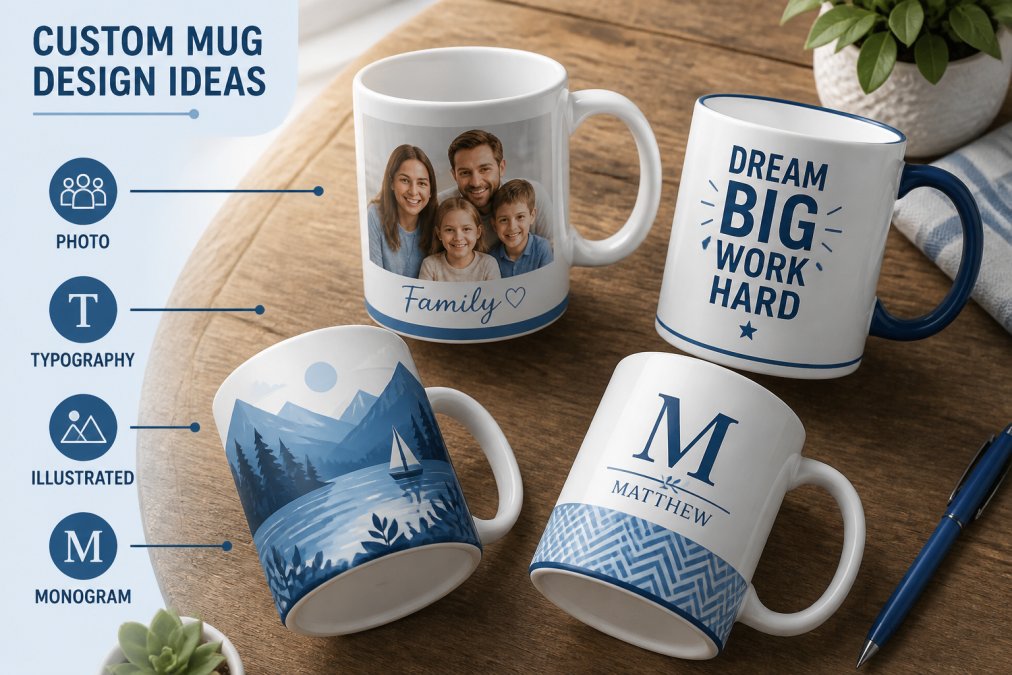
Here are design directions that consistently produce results people love:
- Photo mugs: A high-quality photograph printed across the full face of the mug.
- Wrap-around designs: A pattern or illustration that continues all the way around the mug.
- Typographic mugs: A meaningful quote, name, or date in a well-chosen font.
- Illustrated characters: Custom cartoon versions of people or pets.
- Branded office mugs: A company logo, tagline, or team name with a consistent colour palette.
For layout, the single most common mistake is trying to fit too much into the design. One strong visual element beats four competing ones every time.
The Pantone colour guide for designers is a useful reference when you want to match specific brand colours or choose a palette that works across different mug finishes.
Step-by-Step: How to Design Custom Mugs Online with Midland Mugs
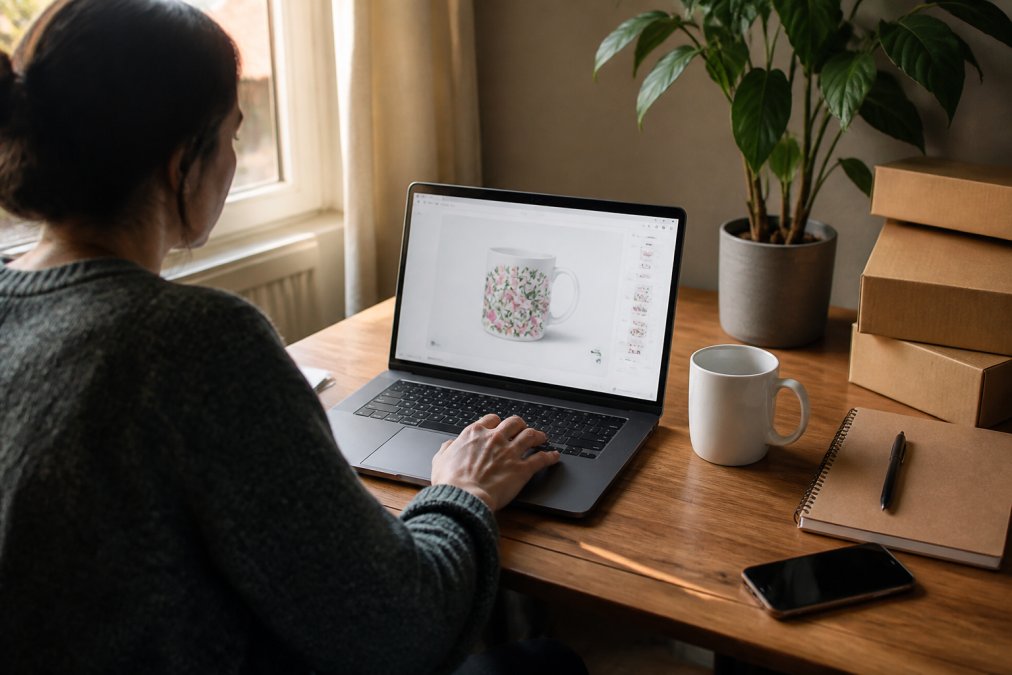
Designing custom mugs online with Midland Mugs follows a clear process.
Uploading Your Artwork or Photos
- Select your mug style from the available options.
- Open the design tool on the product page.
- Upload your artwork or photo using the upload button. Accepted formats typically include PNG, JPG, PDF, and SVG.
- Check your file resolution. The platform will flag files that fall below the minimum DPI.
- Position your design on the mug surface using the drag handles. Pay attention to the safe zone guides.
Using the Design Tool and Preview Feature
Once your artwork is placed, the design tool lets you add text, adjust colours, and swap between design elements. Use the 3D or wrap-around preview before finalising to see how your design wraps around the mug, including how it looks near the handle. Choose fonts that are legible at small sizes; decorative scripts can look beautiful on screen and illegible on a mug. Compare the on-screen preview against the colour profile you used in your source file. Save your design before proceeding to checkout.
Printing Techniques and What They Mean for Print Quality
Two printing methods dominate the custom mug market: sublimation printing and vinyl transfer or screen printing.
Sublimation printing is the standard for full-colour, high-quality ceramic mug printing. The process uses heat and pressure to transfer dye directly into the ceramic surface. The result is a print that is genuinely part of the mug: it will not peel, crack, or fade with normal use. Sublimation supports photographic quality, vibrant colours, and wrap-around designs.
Vinyl transfer or screen printing is sometimes used for simpler designs with flat colours but does not match sublimation for photographic detail or longevity. As documented in BPIF guidance on print production standards, sublimation printing on ceramic substrates consistently outperforms surface-applied methods for durability and colour retention over time.
For most buyers of personalised drinkware, sublimation printing is the only method worth choosing.
Bulk Orders, Corporate Gifts, and Turnaround Times
For corporate gifts and branded office merchandise, the most important thing to get right is consistency. Every mug in a run of fifty should look identical. Submit a single, finalised design file rather than making adjustments partway through. Confirm the colour profile before the full run is printed, ideally by requesting a proof or sample if the provider offers one.
Turnaround times vary between providers, but a reasonable expectation for a standard bulk order is five to ten working days for production, plus delivery time. Work backwards from your deadline and add buffer.
A few practical points for bulk and corporate orders:
- Minimum order quantities differ by provider. Check this before you start designing.
- Branding consistency: Supply your brand's exact colour values (Pantone references or CMYK values) rather than relying on screen approximations.
- Packaging: For gifts, ask whether individual gift boxing is available.
- Reordering: Save your design files and order references for faster reordering.
Visit the Midland Mugs website for current pricing and to request a quote for larger orders. For further context on corporate gifting trends, the BPMA guide to promotional products and corporate gifting offers useful industry perspective.
Designing and ordering custom mugs online involves more decisions than most people anticipate, from file resolution to printing method to finish choice. Getting those decisions right is the difference between a mug that ends up at the back of a cupboard and one that someone uses every day. Midland Mugs offers premium ceramic mugs with full-colour custom printing, fast shipping, and secure packaging, built for exactly the kind of personalised gift or branded order that needs to arrive looking exactly as intended. Shop now at Midland Mugs and put your design on a mug that is made to last.
Frequently Asked Questions
What file format is best for custom mug printing?
PNG and PDF are the most reliable formats for custom mug printing. PNG files preserve transparency, which is essential if your design has no background. PDF works well for vector graphics created in design software. Avoid JPEG for logos or text-heavy artwork because compression artefacts become visible at print size. Whichever format you choose, export at a minimum of 300 DPI at the actual print dimensions to ensure sharp, full-colour results on the ceramic surface.
Can I use my own photos to design a custom mug?
Yes, uploading personal photos is one of the most popular ways to create personalised drinkware. For the best print quality, use a photo taken in good lighting with a resolution of at least 300 DPI at the intended print size. Avoid screenshots or images downloaded from social media, as these are typically low resolution and will appear blurry when printed. Most online design tools show a preview so you can check how your photo sits within the wrap-around design area before placing your order.
How do I make sure my custom mug design looks good when printed?
Three things matter most: resolution, colour profile, and safe zones. Set your artwork to 300 DPI, convert colours to CMYK (or confirm the printer accepts sRGB), and keep important text and graphics at least 5 mm inside the design boundary to avoid trimming. Use the online preview tool to check the wrap-around layout from every angle. If your design includes fine text, increase the font size slightly, as small type can soften slightly during sublimation printing on ceramic surfaces.
How long does it take to receive a custom-designed mug?
Turnaround time depends on the printing method, order quantity, and your chosen delivery option. Single mugs produced via print-on-demand are typically dispatched within a few business days. Larger bulk orders for corporate gifts may require additional production time. Check the estimated dispatch date shown at checkout and factor in standard shipping logistics for your area. If you have a firm deadline, such as a birthday or event, place your order with a buffer of at least a week beyond the estimated delivery date.
This article was written using GrandRanker